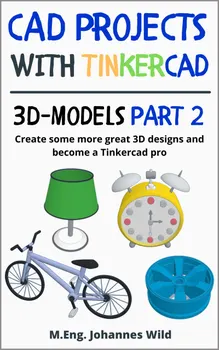
CAD Projects with Tinkercad | 3D-Models Part 2 : Create some more great 3D designs and become a Tinkercad pro

Attention: This book is the sequel to the book "CAD Projects with Tinkercad 3D Models Part 1" (ISBN: 9783987421129) as well as to the basics book "Tinkercad Step by Step" (ISBN: 9783987420115). If you don't have basic knowledge in using "Tinkercad" yet, it would be advisable to work through the two mentioned books first. In this book we will only focus on advanced 3D modeling in "Tinkercad".

But if you already have some experience in working with "Tinkercad", then you can now look forward to implementing more great projects. This way you can deepen your skills in designing 3D models. As you may already know, I am a professional engineer (M.Eng.) and in my books I try to teach you technical processes and how to use software in the easiest and most playful way possible.

In this book we will get to know four more projects for designing 3D objects in "Tinkercad". Some of them are very complex, while others are a bit easier to create. But don't worry, we will work through these projects together and step by step. This will help you to become even more familiar with the features of "Tinkercad" and also to learn some new approaches for developing your own 3D models. The more guided practice you have, the better you will be able to handle more complex projects of your own.

Take a look inside and get your copy in e-book or paperback!

No matter how old you are, whether you are still in school, an adult, a student, or a retiree, this book will help you learn quickly and easily with the help of numerous illustrations. The software is suitable for all ages. You already know the basics of designing with "Tinkercad", so we'll start with the first design project right away. The first project will be a little easier, in order to get reacquainted with the software, but then the level of difficulty will increase from chapter to chapter.

This book is intended for those who already have a good working knowledge of designing 3D models using Autodesk's "Tinkercad" software. It is the sequel to the book "CAD Projects with Tinkercad 3D Models Part 1" (ISBN: 9783987421129).

Have a look at the book right now and get your copy as e-book or paperback!

The benefits of this book at a glance:

Step-by-step explanations by an engineer (Master of Engineering) on how to use the "3D Designs" section in Tinkercad

Hands-on learning with four great projects and step-by-step illustrations

Course content: table lamp, bicycle, retro alarm clock, rim

Easy & straightforward for quickly improving your 3D modeling skills using Tinkercad

Simple and understandable explanations. Suitable for pupils, students, employees, tinkerers & inventors as well as retirees and all age groups

Learn everything important quickly, compact and to the point on approx. 115 pages

Check out the book right now. Get your copy as paperback or e-book!
Über dieses Buch

Attention: This book is the sequel to the book "CAD Projects with Tinkercad 3D Models Part 1" (ISBN: 9783987421129) as well as to the basics book "Tinkercad Step by Step" (ISBN: 9783987420115). If you don't have basic knowledge in using "Tinkercad" yet, it would be advisable to work through the two mentioned books first. In this book we will only focus on advanced 3D modeling in "Tinkercad".

But if you already have some experience in working with "Tinkercad", then you can now look forward to implementing more great projects. This way you can deepen your skills in designing 3D models. As you may already know, I am a professional engineer (M.Eng.) and in my books I try to teach you technical processes and how to use software in the easiest and most playful way possible.

In this book we will get to know four more projects for designing 3D objects in "Tinkercad". Some of them are very complex, while others are a bit easier to create. But don't worry, we will work through these projects together and step by step. This will help you to become even more familiar with the features of "Tinkercad" and also to learn some new approaches for developing your own 3D models. The more guided practice you have, the better you will be able to handle more complex projects of your own.

Take a look inside and get your copy in e-book or paperback!

No matter how old you are, whether you are still in school, an adult, a student, or a retiree, this book will help you learn quickly and easily with the help of numerous illustrations. The software is suitable for all ages. You already know the basics of designing with "Tinkercad", so we'll start with the first design project right away. The first project will be a little easier, in order to get reacquainted with the software, but then the level of difficulty will increase from chapter to chapter.

This book is intended for those who already have a good working knowledge of designing 3D models using Autodesk's "Tinkercad" software. It is the sequel to the book "CAD Projects with Tinkercad 3D Models Part 1" (ISBN: 9783987421129).

Have a look at the book right now and get your copy as e-book or paperback!

The benefits of this book at a glance:

Step-by-step explanations by an engineer (Master of Engineering) on how to use the "3D Designs" section in Tinkercad

Hands-on learning with four great projects and step-by-step illustrations

Course content: table lamp, bicycle, retro alarm clock, rim

Easy & straightforward for quickly improving your 3D modeling skills using Tinkercad

Simple and understandable explanations. Suitable for pupils, students, employees, tinkerers & inventors as well as retirees and all age groups

Learn everything important quickly, compact and to the point on approx. 115 pages

Check out the book right now. Get your copy as paperback or e-book!
Starte noch heute mit diesem Buch für CHF 0

  • Hole dir während der Testphase vollen Zugriff auf alle Bücher in der App
  • Keine Verpflichtungen, jederzeit kündbar
Jetzt kostenlos testen
Mehr als 52 000 Menschen haben Nextory im App Store und auf Google Play 5 Sterne gegeben.

  1. FreeCAD | Proyectos de Diseño CAD - Parte 2 : Instrucciones paso a paso para diseñar modelos CAD complejos

    M.Eng. Johannes Wild

  2. 4.0

    FreeCAD | Projets de Conception CAO - Partie 2 : Instructions pas à pas pour la conception de modèles CAO complexes

    M.Eng. Johannes Wild

  3. FreeCAD | Progetti di Design CAD - Parte 2 : Istruzioni passo-passo per la progettazione di modelli CAD complessi

    M.Eng. Johannes Wild

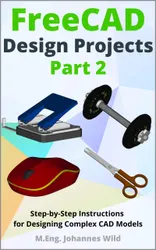
  4. FreeCAD | Design Projects - Part 2 : Step-by-Step Instructions for Designing Complex CAD Models

    M.Eng. Johannes Wild

  5. FreeCAD | Konstruktionsprojekte - Teil 2 : Schritt-für-Schritt-Anleitungen für die Konstruktion komplexer CAD-Modelle

    M.Eng. Johannes Wild

  6. Fusion 360 | Proyectos de diseño CAD - Parte 2 : Más allá de lo básico: Guía paso a paso para diseños 3D avanzados

    M.Eng. Johannes Wild

  7. Fusion 360 | Progetti di design CAD - Parte 2 : Oltre le basi: Guida passo dopo passo ai disegni 3D avanzati

    M.Eng. Johannes Wild

  8. Fusion 360 | Projets de conception CAO - Partie 2 : Au-delà des bases : Un guide pas à pas pour les conceptions 3D avancées

    M.Eng. Johannes Wild

  9. Fusion 360 | CAD Design Projects - Part 2 : Beyond Basics: A Step-by-Step Guide to Advanced 3D designs

    M.Eng. Johannes Wild

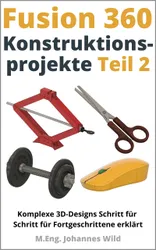
  10. Fusion 360 | Konstruktionsprojekte - Teil 2 : Komplexe 3D-Designs Schritt für Schritt für Fortgeschrittene erklärt

    M.Eng. Johannes Wild

  11. Proyectos CAD con Tinkercad | Modelos 3D Parte 2 : Crea más diseños 3D fantásticos y conviértete en un profesional de Tinkercad

    M.Eng. Johannes Wild

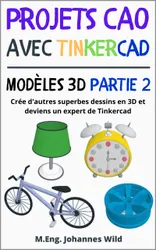
  12. Projets CAO avec Tinkercad | Modèles 3D Partie 2 : Crée d'autres superbes dessins en 3D et deviens un expert de Tinkercad

    M.Eng. Johannes Wild